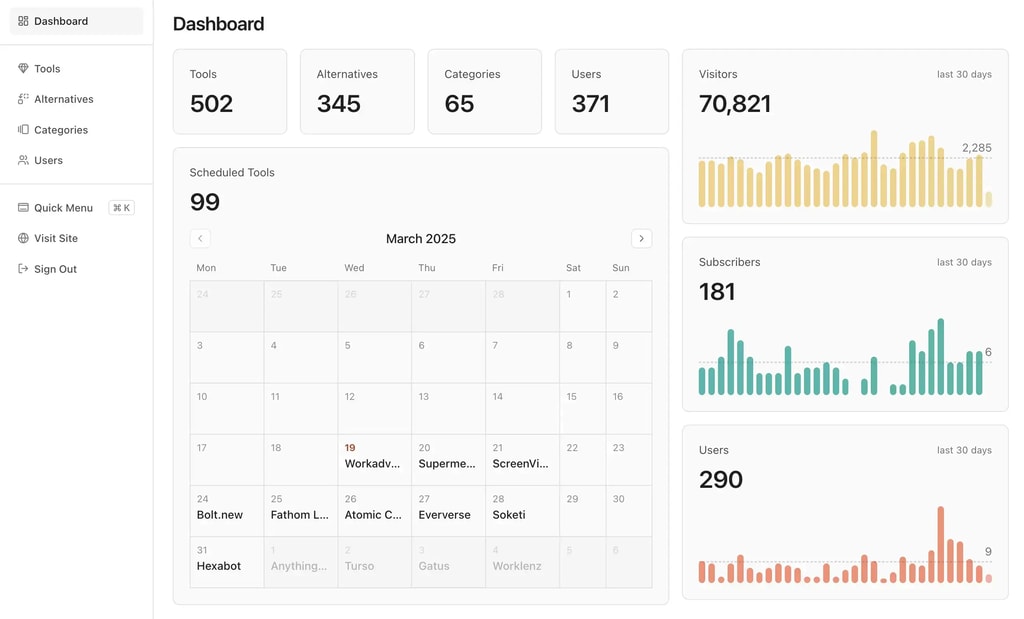
People ask me which WordPress directory plugin they should use, and my honest short answer is: Directorist if you want the most complete package, GeoDirectory if your directory is location-based, and HivePress if you want to start completely free. That's the answer. The rest of this post is the reasoning, with verified 2026 pricing for all ten options.
Quick context on why you should listen to me at all. I run OpenAlternative, a directory doing around $6,500/month, and I've built directories for over a decade. I also build Dirstarter, a Next.js directory boilerplate that competes with WordPress for this exact use case. So I'm biased on the final section of this post, and I'll flag it when we get there. The plugin reviews themselves are straight. And WordPress isn't foreign territory for me either: before Dirstarter, I built Chipmunk, a WordPress theme for directory websites.
If you're still deciding whether a directory is even the right business, start with my guide on how to start an online directory business first, then come back here for the tooling.
What actually matters in a directory plugin
Most comparison posts rank plugins by feature count. That's backwards. Here's what actually determines whether your directory succeeds:
Search and filtering. A directory is a search product. If visitors can't filter by the attributes that matter in your niche (price, location, category, custom fields), they bounce. Look for faceted filtering, custom field search, and autocomplete. This is the feature you'll regret skimping on.
Monetization built in. Featured listings, paid submission plans, and claim-listing flows are how directories make money. On OpenAlternative, featured listings at $197/month bring in about 35% of revenue. If your plugin makes you duct-tape WooCommerce onto everything, you'll feel it. I cover the five models that work in my directory revenue models breakdown.
Performance at scale. Every plugin demo runs fast with 50 listings. The question is what happens at 2,000 listings with custom fields, maps, and filters on one archive page. WordPress meta queries get slow, and most directory plugins lean on them heavily. Ask vendors about this before buying, not after.
Support and update cadence. A directory plugin touches payments, user accounts, and your entire data model. An abandoned plugin is a slow-motion disaster. Check the changelog date before anything else.
Pro tip: Before committing, import 500+ dummy listings into a staging site and click around the archive pages. Ten minutes of testing will tell you more than any review, including this one.
The 10 best WordPress directory plugins in 2026
Pricing below was verified on official sites in June 2026. Vendors change prices and run sales constantly, so treat these as accurate-today rather than carved in stone.
1. Directorist: best all-rounder

Directorist is the plugin I'd hand to most beginners. The free core is genuinely capable, and the paid plans include all 30+ extensions and all premium themes instead of selling each add-on separately. That single decision saves you from the death-by-extension pricing that plagues this category.
Standout features: a drag-and-drop form and layout builder, multi-directory support (run several directories on one install), and proper monetization with pricing plans, featured listings, and Stripe/PayPal out of the box.
Honest downside: with that many bundled extensions, the settings sprawl. Expect a real learning curve before everything is wired up the way you want.
Pricing: free core on WordPress.org; paid plans from $103/year for one site up to $142/year for the agency tier, with lifetime licenses from $379.
2. GeoDirectory: best for location-based directories
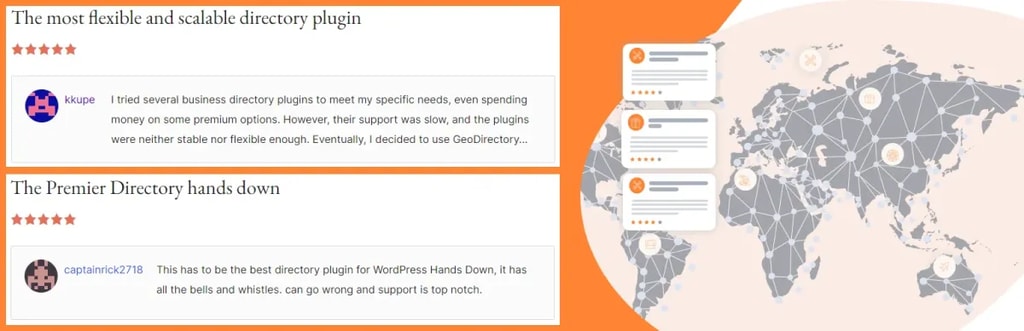
If your directory is "things near you" (restaurants, gyms, dentists, city guides), GeoDirectory is the specialist. It's built around maps, proximity search, and locations as first-class citizens, and the free core has 10,000+ active installs with a 4.8 rating on WordPress.org.
Standout features: location-aware search with radius filtering, bulk CSV import/export (essential when seeding a directory), and a drag-and-drop form builder with 40+ field types. It's also the plugin with the best reputation for handling large listing counts on WordPress.
Honest downside: the free core is single-location. Multi-city or country-wide directories need the paid Location Manager, so budget for the membership from day one.
Pricing: free core; full membership with all add-ons and themes at $139/year for one site or $229/year for unlimited sites.
3. HivePress: best free option

HivePress is the plugin I recommend when someone wants to validate a niche idea before spending anything. The core is free and covers listings, categories, front-end submission, search filters, and user profiles. It's also cleanly coded, which matters if you'll customize later.
Standout features: a modular extension system where you only add what you need, monetization via paid and featured listings with WooCommerce, and geolocation with radius search.
Honest downside: there's no all-access bundle, so costs creep as you bolt on extensions, and the polished look depends on their premium themes.
Pricing: free core; premium extensions at $39 each (Memberships, Marketplace, Bookings) and themes like ExpertHive at $89 each.
4. Business Directory Plugin: best for simple paid listings

Business Directory Plugin is one of the oldest names in this space, trusted by 20k+ users with a 4.6 rating on WordPress.org. It does classic business directories without trying to be a marketplace platform.
Standout features: payment processing via Stripe, PayPal, and Authorize.net on every paid tier, unlimited listings across all plans, and a straightforward plan-based submission flow your users won't need a manual for.
Honest downside: it looks and feels dated next to Directorist or HivePress, and design flexibility is limited unless you buy the higher tiers for theme access.
Pricing: free version available; paid plans currently from $99/year (list price $149) up to $249/year for the Elite tier with multisite support.
5. Directories Pro: best one-time-payment plugin
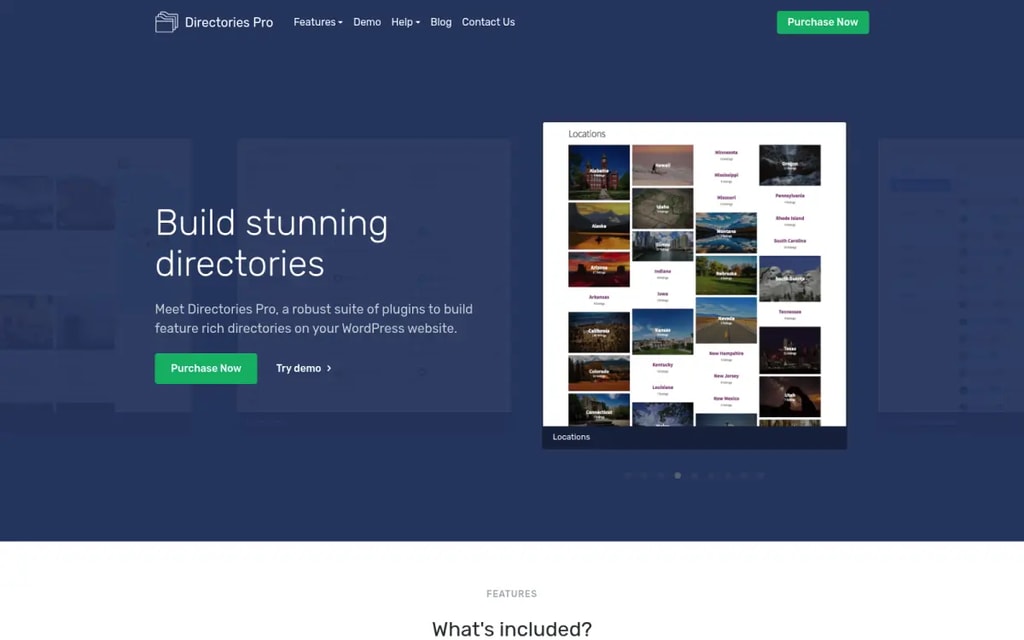
Directories Pro on CodeCanyon is the value pick: $39 one time, 4.75 stars across 282 reviews, and still actively updated as of June 2026. For the price of a month of most SaaS tools you get a shockingly complete directory system.
Standout features: built-in payments and subscription plans without requiring WooCommerce, multi-criteria reviews, and both Google Maps and OpenStreetMap support (OpenStreetMap means no Google Maps API billing).
Honest downside: CodeCanyon licensing means support costs extra after the included period, documentation is thinner than the subscription players, and it's a one-developer operation, which is a real bus-factor risk for a site you depend on.
Pricing: $39 one-time regular license.
6. ListingPro: best all-in-one theme

ListingPro is technically a theme, not a plugin, but with 33,000+ sales and a 4.85 rating on ThemeForest it's impossible to leave out. The pitch is "no extra paid plugins required," and it largely delivers: search, filters, paid plans, ads, reviews, and bookings ship in the box.
Standout features: built-in monetization including ad campaigns and lead generation, multi-criteria reviews with spam protection, and front-end listing management for business owners.
Honest downside: total theme lock-in. Your listings, fields, and monetization all live inside ListingPro, so leaving it later means rebuilding the site. That's a serious strategic cost people underweight on day one.
Pricing: $69 one-time on ThemeForest.
7. MyListing: best for Elementor users

MyListing (21,000+ sales, 4.8 rating on ThemeForest) takes the opposite approach to ListingPro: instead of fixed layouts, every page is built with Elementor and 50+ custom widgets. If you want a directory that doesn't look like a template, this is the closest WordPress gets.
Standout features: a listing type creator with unlimited custom fields, support for Google Maps, Mapbox, and OpenStreetMap, and WooCommerce-powered paid listing packages.
Honest downside: Elementor plus heavy map archives is a performance tax. Without serious caching work, large MyListing sites get sluggish, and you inherit the same theme lock-in problem as ListingPro.
Pricing: $69 one-time on ThemeForest.
8. Advanced Classifieds & Directory Pro: best budget subscription

Advanced Classifieds & Directory Pro from PluginsWare is a quiet workhorse for classifieds-style directories. The free Starter version covers unlimited listings, categories, locations, and custom fields, which is more generous than most free tiers.
Standout features: grid, list, and map display modes, front-end submission with an advertiser dashboard, and CSV import/export plus Stripe/PayPal on the paid tier.
Honest downside: smaller community and ecosystem than the big names, so when you hit an edge case you're more reliant on the vendor's support queue.
Pricing: free Starter version; Professional at about $96/year (billed as $7.99/month annually) with a 30-day guarantee.
9. Connections Business Directory: best for staff and member directories

Connections solves a different problem than everything above. It's for address-book style directories: church members, staff pages, alumni networks, chamber-of-commerce rosters. With 1.3M+ downloads and a 4.9 rating on WordPress.org, it's the standard for that job.
Standout features: repeatable fields (multiple addresses, phones, emails per entry), a templating system for swapping directory layouts, and proven handling of very large entry counts.
Honest downside: there's no monetization story. No paid submissions, no featured listings, no claim flows. This is an organizational tool, not a directory business engine, and premium templates and extensions are priced individually, so costs are harder to predict.
Pricing: free core; premium templates and extensions sold separately on their site.
10. uListing: best drag-and-drop builder on a budget

uListing by StylemixThemes is the most builder-centric plugin here: listing types, inventory pages, listing cards, and search forms are all assembled visually. For non-developers who want control over layout without a page builder, that's appealing.
Standout features: unlimited listing types with drag-and-drop layouts, radius and geolocation search with autocomplete, and recurring subscription billing via Stripe and PayPal.
Honest downside: it's younger and less battle-tested than GeoDirectory or Directorist, and some basics (user roles, comparisons) are paid add-ons rather than core features.
Pricing: free version; Pro from $54.99/year for one site, lifetime from $149.99.
Comparison table
| Plugin | Best for | Free tier? | Paid pricing |
|---|---|---|---|
| Directorist | All-round directories | Yes | From $103/yr, lifetime from $379 |
| GeoDirectory | Location-based directories | Yes | $139/yr (1 site), $229/yr unlimited |
| HivePress | Starting free | Yes | Extensions $39, themes $89 |
| Business Directory Plugin | Simple paid listings | Yes | From $99/yr (list $149) |
| Directories Pro | One-time payment | No | $39 one-time |
| ListingPro | All-in-one theme | No | $69 one-time |
| MyListing | Elementor design control | No | $69 one-time |
| Advanced Classifieds & Directory Pro | Budget classifieds | Yes | ~$96/yr |
| Connections | Staff/member directories | Yes | Templates/extensions priced individually |
| uListing | Visual builders on a budget | Yes | From $54.99/yr, lifetime from $149.99 |
When to skip WordPress entirely
Here's the section where my bias kicks in, stated plainly: I build Dirstarter, a Next.js directory boilerplate that competes with everything above. Discount accordingly. But the argument doesn't depend on my product, so let me make it honestly.
WordPress is the right call for a lot of people. If you don't write code, nothing in the JavaScript world matches the convenience of installing GeoDirectory and having a working directory by lunch. Pick a plugin from this list and go build. The hard part of a directory business is choosing a niche and getting traffic, not the software.
But if you're a developer, or you're planning a directory you want to run for years at scale, the WordPress trade-offs compound:
The maintenance treadmill. A typical directory stack is WordPress core plus a directory plugin plus 10-15 supporting plugins for SEO, caching, forms, and security. Every one of them updates on its own schedule, and any update can break the others. That's hours every month spent on upkeep instead of growth.
Performance at scale. Directory plugins store custom fields as post meta, and filtering thousands of listings across meta queries is exactly what MySQL under WordPress is bad at. You end up stacking caching plugins to compensate for an architecture problem. A statically generated Next.js site serves those same filtered pages in milliseconds, which matters because directories live and die on programmatic SEO across thousands of pages.
Recurring pricing for rented features. Most serious plugin setups land at $100-250 every year, forever, and your data model is locked inside someone else's plugin.
This is why I build directories on Next.js. OpenAlternative, my largest one, gets 70,000 monthly visitors and took about a year to reach meaningful revenue (the full numbers are in the OpenAlternative case study). I packaged that exact stack into Dirstarter: a one-time payment of around $149 (current price on the pricing page), you own every line of code, and there's no plugin stack to babysit. You can see what people have shipped with it on the showcase, and I compared it honestly against the alternatives in my directory boilerplate roundup.
The honest decision rule: comfortable in code, building for the long term, go boilerplate. Not a coder, or just validating an idea, go WordPress. Both paths can absolutely reach $5k+/month.
My final picks
If you take one thing from this post: the best WordPress directory plugin is the one that matches your niche, not the one with the most features. Go Directorist for a general directory, GeoDirectory for anything map-driven, HivePress to start free, and Directories Pro if you hate subscriptions. Skip the all-in-one themes unless you've made peace with the lock-in.
And if you're a developer, seriously consider whether you want WordPress under a directory at all. Read the boilerplate comparison, then my technical guide to building a directory website, and pick the stack you'll still be happy maintaining in year three. That's the one that makes money.