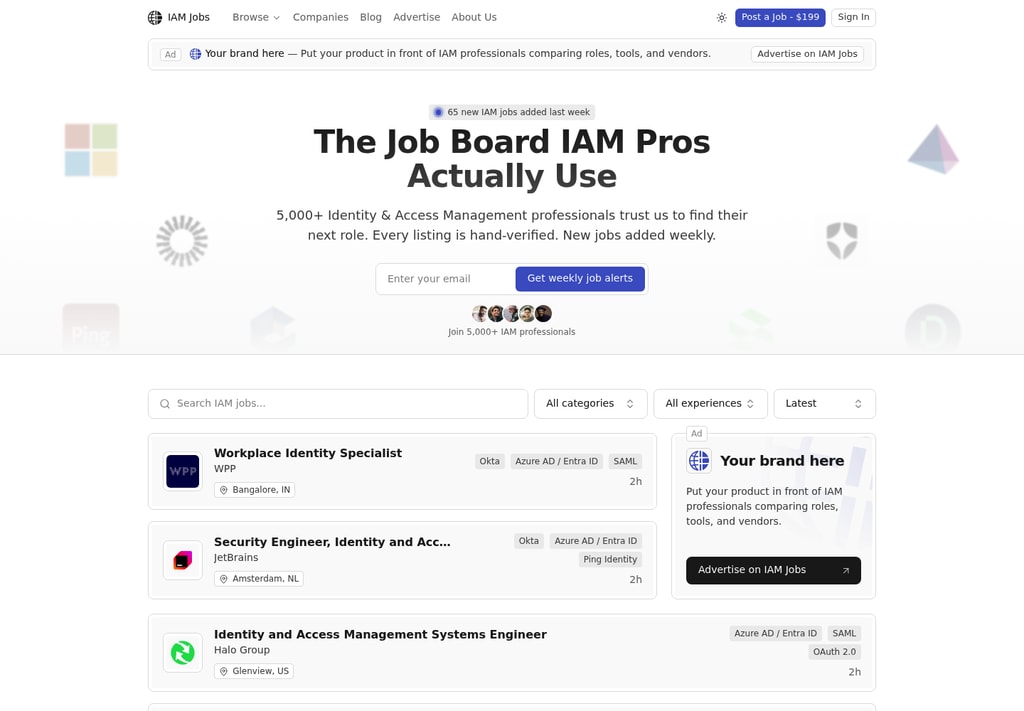
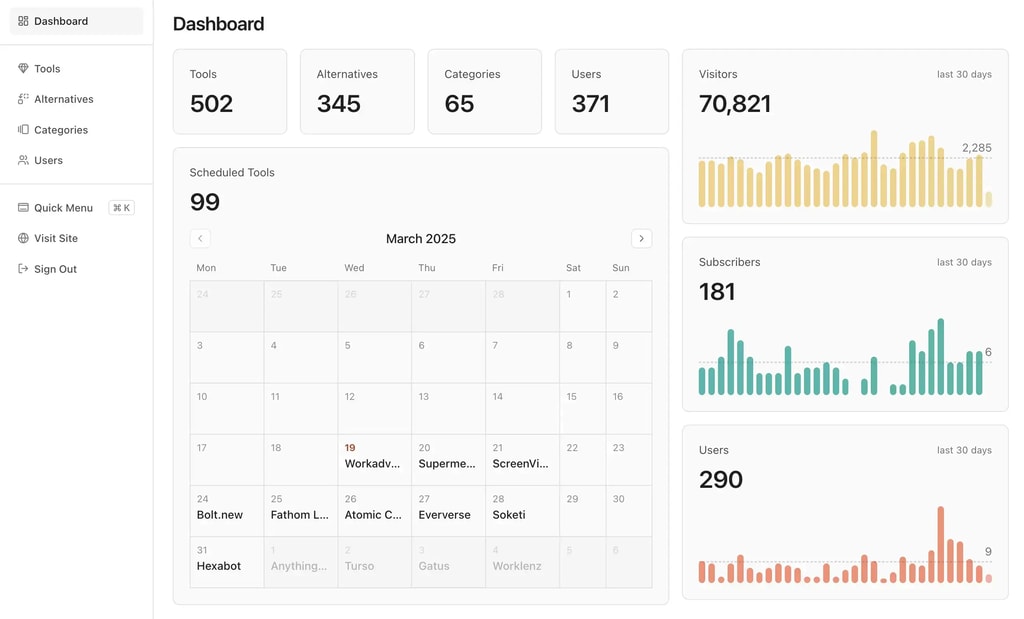
Dirstarter is a Next.js directory boilerplate you can use as a job board template. You get employer submissions, paid listing tiers through Stripe, an admin review queue, scheduled publishing and SEO, all in code you own after a one-time payment.
To be upfront about the fit: Dirstarter wasn't built as a dedicated job board script, so job-specific fields like salary and expiry dates are yours to add. The parts that make a niche job board earn money already work, and IAM Jobs runs on it today.
What a job board needs
A niche job board is a small directory with a fast turnover. These are the capabilities that matter:
- Employer posting flow. An employer fills in a form, pays and sees the job go live without emailing you.
- Paid tiers. A standard post, plus a featured option that pins the job higher for employers who want more applicants.
- Moderation. You approve every post before it goes public, so spam and off-niche roles never reach job seekers.
- Browsing by category and location. Seekers filter by role type, vendor, region or remote. IAM Jobs organizes its jobs by category, vendor and location, with a separate remote section.
- Job alerts. A weekly email brings seekers back without relying on Google.
- Search visibility. Each job and category page needs clean metadata and structured data to rank.
How Dirstarter covers it
Posting and payments. Guests can open the submit form and sign in when they submit, and the form keeps what they typed. They then pick a tier: Free, Standard (a one-time payment) or Premium (a monthly subscription with a featured spot). Each listing tier is a Stripe product, and the webhook sets the tier when payment completes. Paying customers manage billing in the Stripe customer portal.
Moderation and scheduling. New submissions land in the admin dashboard as drafts or pending. You publish now or schedule for later, and a cron job publishes on time and emails the owner. Paid posts skip the free queue, which gives employers a reason to pay.
Categories, tags and collections. Jobs live in categories and tags, each with its own page and sitemap entry. Collections are saved filters defined in one config entry. A "Featured jobs" page takes a few lines, and so does "Remote jobs" once you add a remote field.
Newsletter and SEO. Newsletter subscriptions are built in. Pages ship with structured data, Open Graph images and sitemaps, covered in the SEO docs.
What you'd build yourself:
- Job fields like salary range, location, seniority and an application link. The core model is a listing with a name, URL, description, categories and tags, so you extend the Prisma schema.
- An expiry date. Listings stay live until you unpublish them. Add a field and a daily cron job that unpublishes posts after 30 days.
- Salary or seniority filters on top of the new fields.
- AI generation tuned to job posts. The built-in automation scrapes a website and writes a description, which suits tool listings better than job posts. You'd rewrite the prompt or skip it.
If you'd rather not touch code at all, a hosted platform is the safer pick. I compare the options in best directory software.
How to make money with a job board
Employers pay because one good hire is worth far more than the post. The usual models stack:
- Paid job posts. We Work Remotely charges $299 for a 30-day listing. IAM Jobs charges $199 per post. For a new niche board, $99-199 is a realistic start.
- Featured upgrades. Pinned or highlighted jobs sell well. On OpenAlternative, featured listings at $197/month are about 35% of revenue.
- Sponsorships and ads. Ads and sponsorships make up about 65% of OpenAlternative's roughly $6,500/month. On a job board they fit in the newsletter and the banner slots. IAM Jobs already sells "Your brand here" banners.
- Employer bundles. Sell packs of posts at a discount to companies that hire often.
The full breakdown is in directory revenue models, and the niche-picking side is in how to start a niche job board.
Launch checklist
- Buy Dirstarter, clone the repo and follow the introduction to set up the database, auth and environment variables.
- Add your job fields (salary, location, remote flag, expiry date) to the Prisma schema and the submit form.
- Create your Stripe products with
bun run scripts/setup-stripe-products.tsand set prices for a standard post and a featured upgrade. - Seed 50-100 real jobs from company career pages in your niche, so the board looks alive on day one.
- Add a daily cron job that unpublishes expired posts.
- Set up the newsletter and a weekly job alert.
- Deploy, submit your sitemap to Google and email every company you listed.
A job board template saves you the plumbing, but traffic is what employers pay for. Pick a narrow niche, list good jobs before you charge for them, and use Dirstarter for the parts every board needs. See the pricing or browse other templates.